

WhatsApp AI assistant for restaurant menu questions
We built this assistant for a restaurant that receives a steady stream of WhatsApp questions about what is on the menu and what it costs. The workflow reads every incoming message, transcribes voice notes, describes photos and passes the request to an AI agent that looks up the current menu in a Google Doc before replying on WhatsApp.
- Practice
- AI Automation
- Service
- AI Agents & Chatbots
- Type
- Client automation
The work
How the automation works
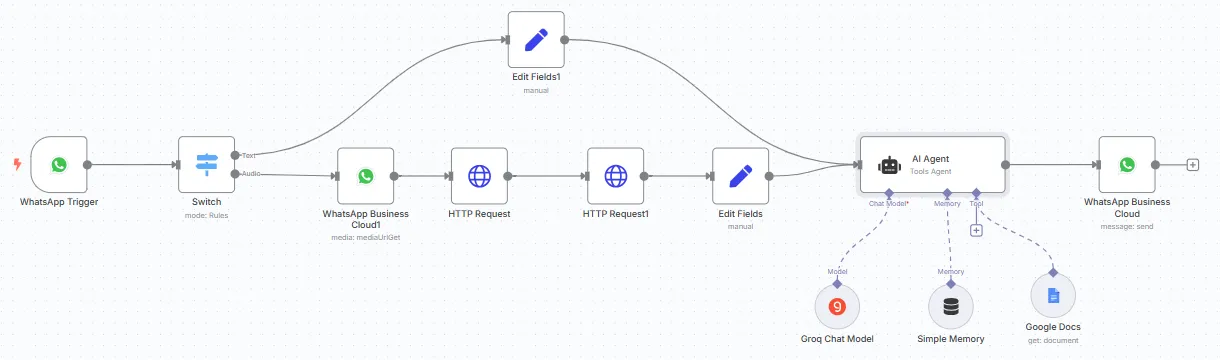
1.The restaurant workflow: text and voice messages reach an AI agent with Groq, chat memory and the menu from Google Docs. 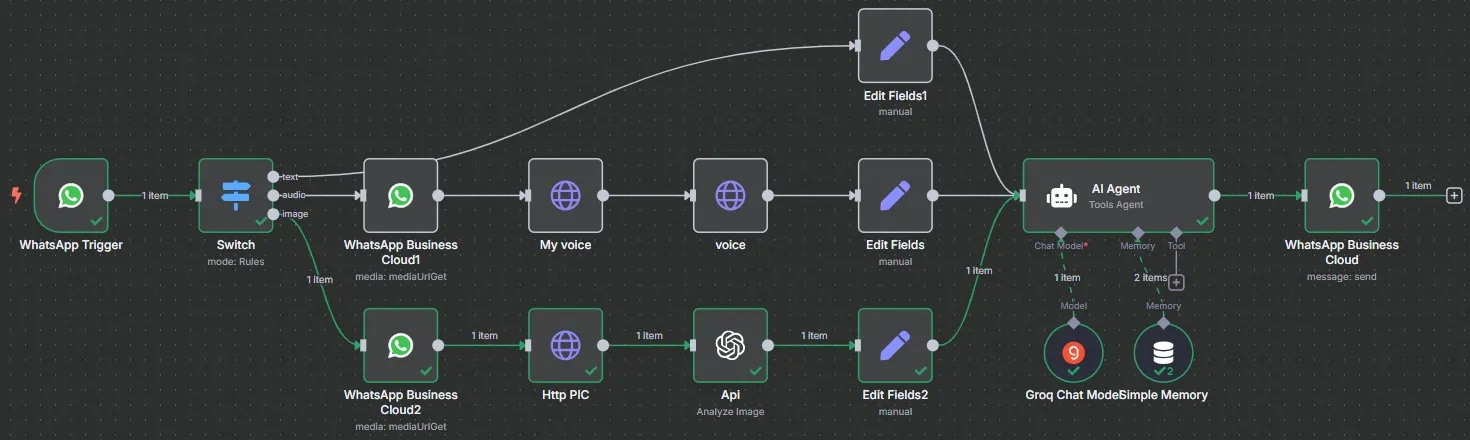
2.The extended version adds an image branch: photos are fetched from WhatsApp and analyzed with OpenAI before reaching the agent. 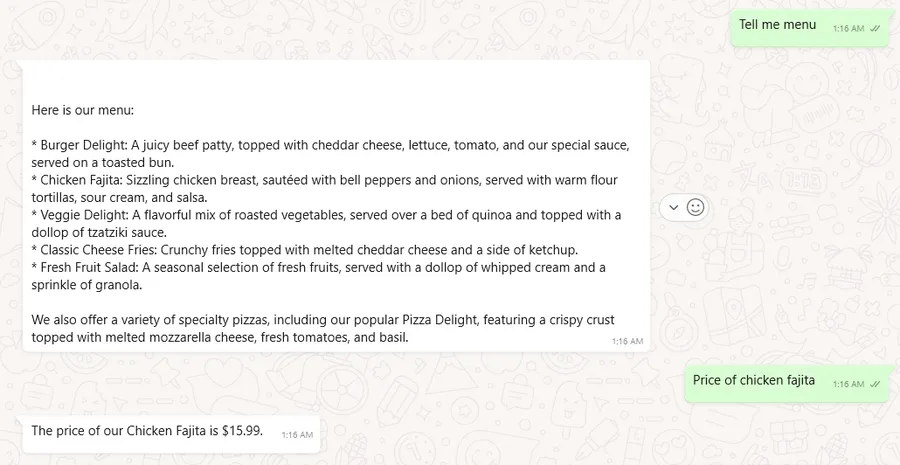
3.A test chat: the assistant lists the menu and answers a price question (restaurant name covered). 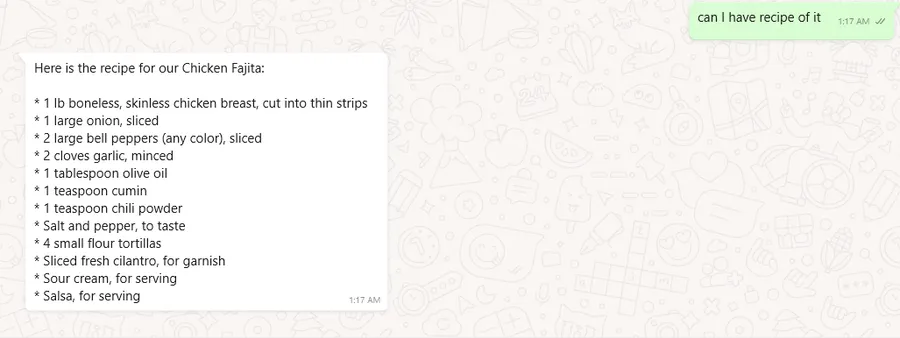
4.A follow-up in the same test chat, where the assistant answers a question about how the dish is made.
Project brief
Deliverables
- WhatsApp Business Cloud trigger and reply steps
- Message router for text, audio and image
- Deepgram voice note transcription
- OpenAI image analysis branch
- Groq AI agent with chat memory and a Google Docs menu tool
The challenge
Guests message restaurants at all hours with the same questions about dishes, ingredients and prices, often as voice notes. Staff answer between services, replies are slow, and the answers are not always consistent with the current menu.
Our approach
A WhatsApp trigger receives each message, and a Switch node routes it by type. Text goes straight to the agent. For voice notes, the workflow fetches the media URL from WhatsApp Business Cloud, downloads the audio and sends it to Deepgram for transcription. For photos, it downloads the image and has OpenAI analyze it. Each branch passes clean text to an AI agent on a Groq chat model with conversation memory and a Google Docs tool that reads the menu. The answer goes back to the guest through the WhatsApp Business Cloud node.
The outcome
Guests get immediate answers about the menu and prices in WhatsApp, whether they type, speak or send a picture. The restaurant updates one Google Doc and the assistant's answers follow.
- Trigger
- Incoming WhatsApp message
- Stack
- n8n, WhatsApp Cloud API, Groq, Deepgram
- Handles
- Text, voice notes and photos
How we did it
Step 01
Collect the menu
We placed the menu in a Google Doc so the restaurant can edit it without touching the workflow.
Step 02
Route each message type
We split text, voice notes and photos so each one is converted into text the agent can read.
Step 03
Build the agent
We set up the Groq agent with memory and the menu tool, and wrote instructions to keep answers on topic.
Step 04
Test in WhatsApp
We ran test chats covering menu, price and dish questions, plus voice and photo messages.
Tools and platforms
- n8n
- WhatsApp Business Cloud API
- Groq
- Deepgram
- OpenAI
- Google Docs
Why this project matters
Many guests prefer WhatsApp and voice notes over calling, and answering them instantly from the live menu keeps questions from going unanswered during busy services.
Questions about this project
Can it take table bookings or orders too?
Yes. We can give the agent extra tools, such as a booking calendar or an order sheet, so it can take reservations or orders in the same chat.
Can you build something similar for my business?
Yes. We adapt the workflow to your tools and process, whether you run one location or several, and give you a fixed quote after a short call.
Related services and articles
Have a project like this in mind?
Tell us what you're working on. We'll come back with a clear plan and a realistic timeline.