

AI social content engine for Instagram and LinkedIn
We built this content engine for a business that wanted to post on Instagram and LinkedIn regularly without writing and publishing every post by hand. The team plans topics in a Google Sheet, and the workflow does the writing, image creation, posting and record keeping each day.
- Practice
- AI Automation
- Service
- Content & Operations
- Type
- Client automation
The work
How the automation works
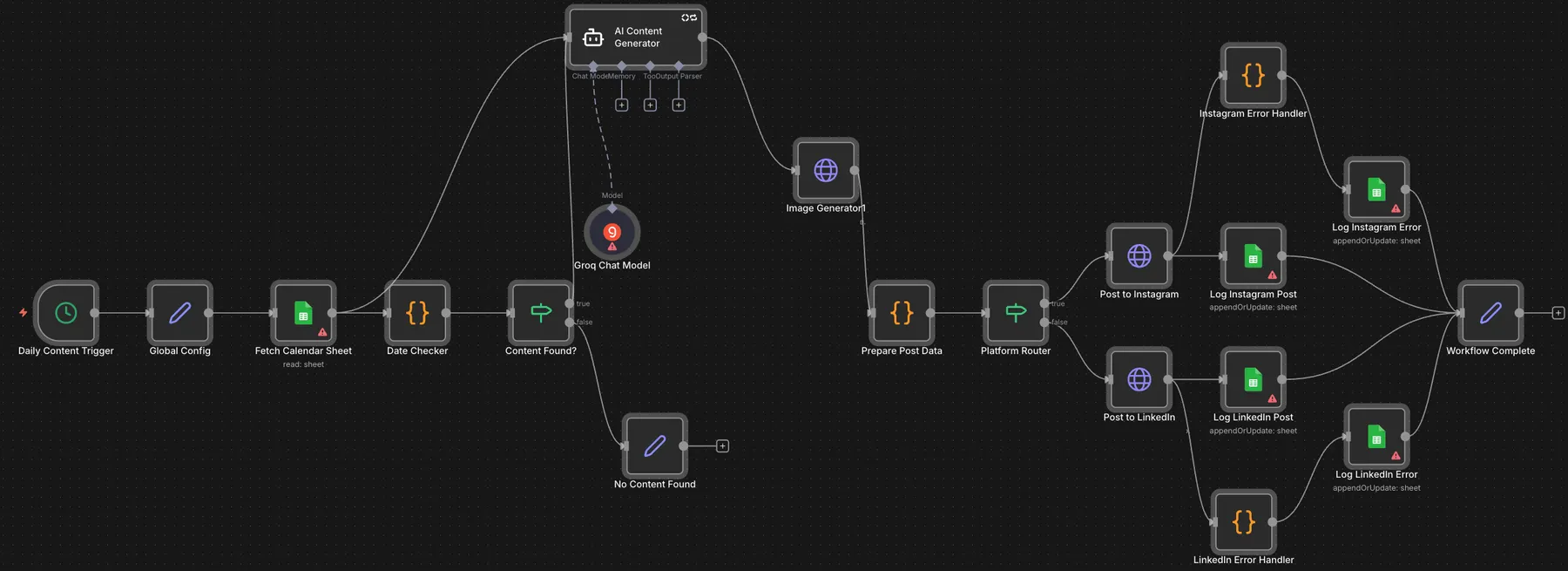
1.The full n8n workflow: daily trigger, content calendar and AI agent, image generation, then posting and logging. 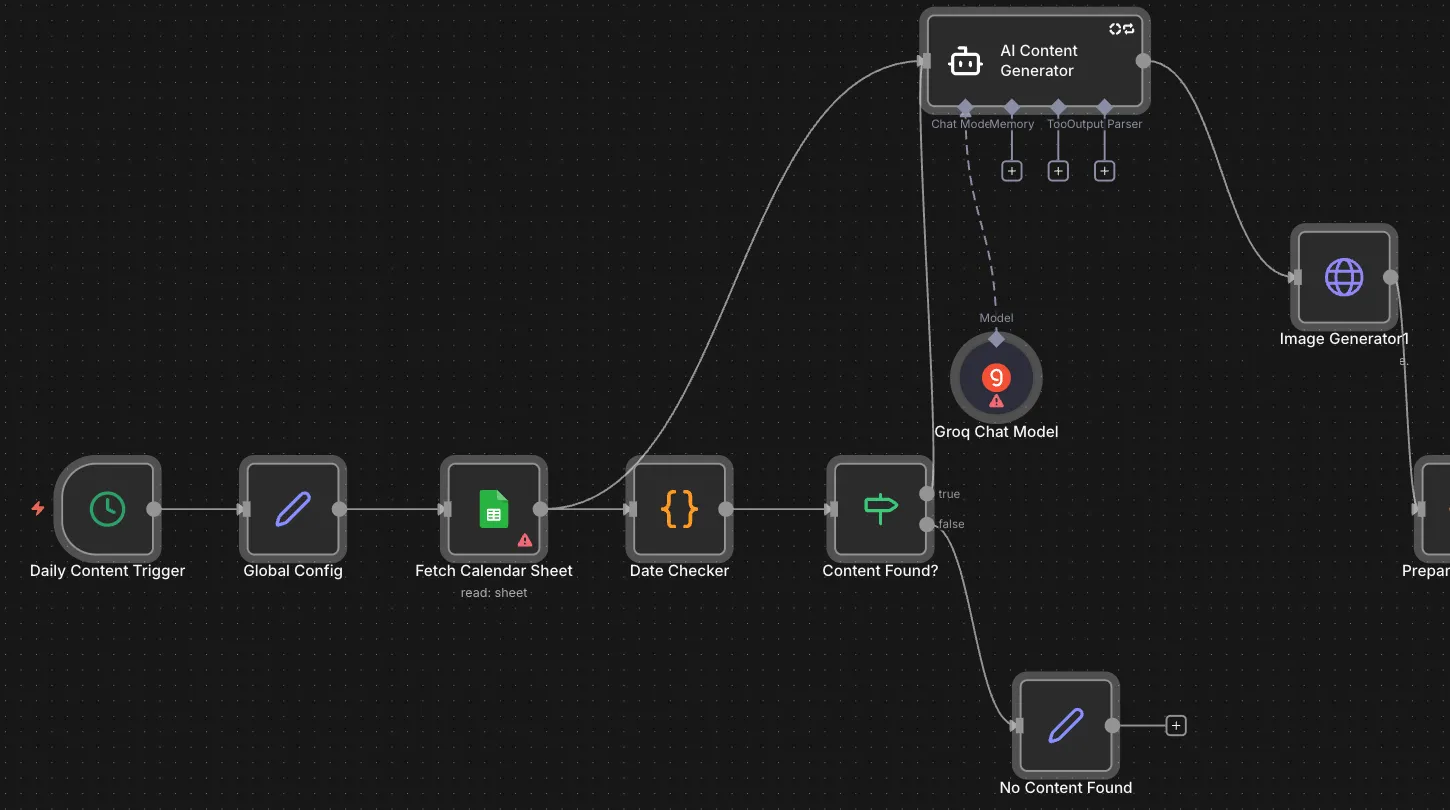
2.The first half: daily trigger, config, calendar sheet, date check, the AI content agent with its Groq model, and the image step. 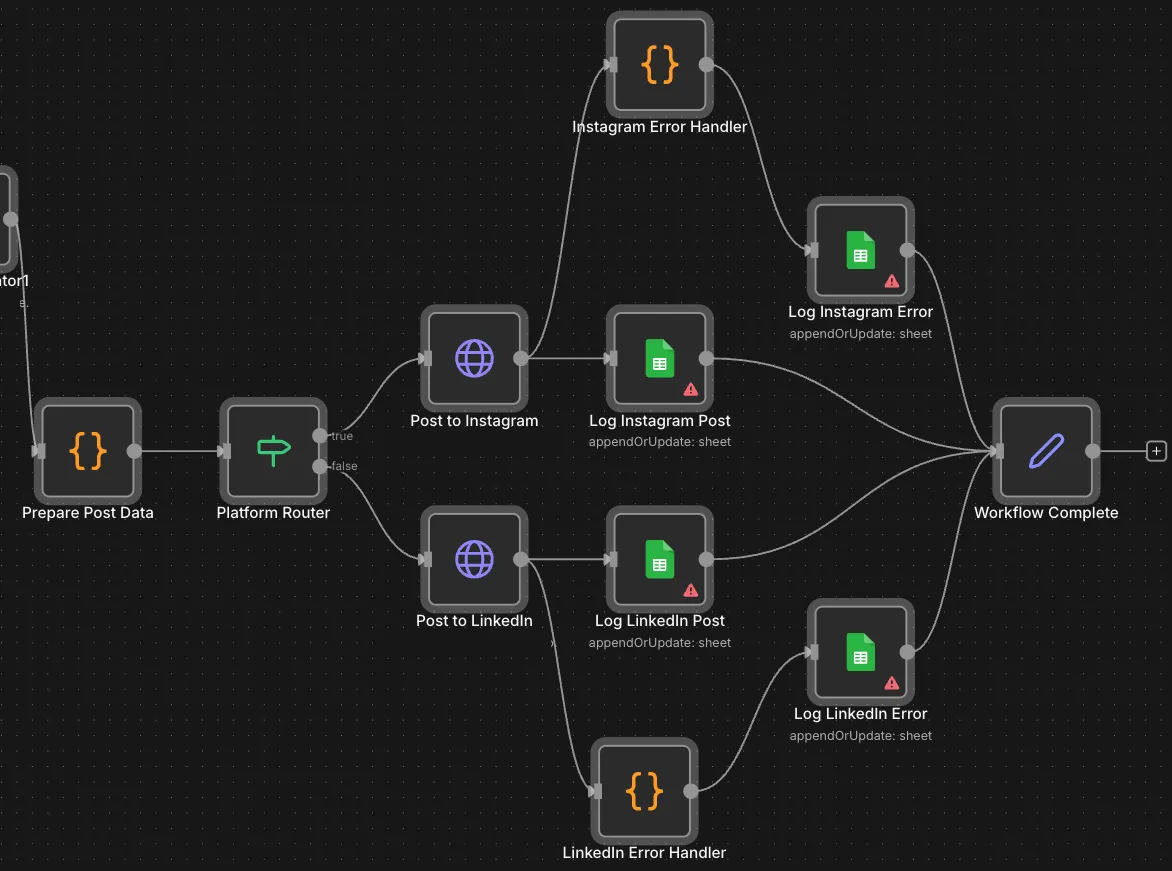
3.The posting half: platform router, Buffer posts for Instagram and LinkedIn, and success and error logs in Google Sheets.
Project brief
Deliverables
- Daily trigger with a central config step
- Content calendar lookup by date
- AI agent prompt with Instagram and LinkedIn styles
- Runware image generation from the post text
- Buffer posting through a platform router
- Posted_Content and Error_Log sheets
The challenge
Keeping a regular posting schedule takes time: someone has to write copy for each platform, find or make an image, upload it and keep track of what went out. When the calendar lives in a spreadsheet and posting is manual, days get missed and nobody has a clear record of what was published or what failed.
Our approach
A daily trigger starts the run, and a config step holds the sheet ID, Buffer profile IDs, default tone and hashtag count. The workflow reads the content calendar sheet, and a Code node finds the row for today's date with its tagline, platform, tone, niche and special instructions. If nothing is scheduled, the run ends quietly. If there is an entry, an AI agent running on a Groq chat model writes the post around the tagline, adjusting the style for Instagram, LinkedIn or both and adding the configured number of hashtags. The post text goes to Runware to generate an image, and a Code node builds a separate payload for each platform. A router sends each one to Buffer for Instagram or LinkedIn. Successful posts are written to a Posted_Content sheet, and failures pass through an error handler into an Error_Log sheet before the run is marked complete.
The outcome
The client now plans content in one sheet and the workflow handles the rest each day: copy, image, posting through Buffer and a record of every post. Failed posts land in their own sheet with the error, so the team can see what needs another try.
- Trigger
- Daily schedule
- Stack
- n8n, Groq, Runware, Buffer
- Handles
- Copy, image, posting and logs
How we did it
Step 01
Set up the calendar
We defined the sheet columns the workflow reads: date, tagline, platform, tone, niche and special instructions.
Step 02
Write the prompt
We wrote the agent prompt so each post follows the tagline, tone and platform, with the configured hashtag count.
Step 03
Connect image and posting
We added Runware for images and Buffer for posting, with a router that handles Instagram, LinkedIn or both.
Step 04
Log and catch errors
We added a log row for every post and an error path that records failures in a separate sheet.
Tools and platforms
- n8n
- Groq
- Runware
- Buffer
- Google Sheets
Why this project matters
Consistent posting is mostly a scheduling problem. Moving the repetitive steps into a workflow lets the team spend its time on planning topics instead of copying text between tools.
Questions about this project
Can it post to platforms besides Instagram and LinkedIn?
Yes. Buffer supports several networks, so another platform can be added as a new branch in the router with its own prompt style and log.
Can you build something similar for my business?
Yes. We fit the engine to your content calendar, brand voice and channels. After a short call you get a fixed quote.
Related services and articles
Have a project like this in mind?
Tell us what you're working on. We'll come back with a clear plan and a realistic timeline.