

How to Scope a Custom Web App So the First Version Ships on Time
A custom web app ships on time when version one is small and specific. How to scope the first version decide what to leave out, and keep the build honest.
- Written by Asad Farooq
- Topic: Custom Platforms
- Published
- 3 min read
Key takeaways
- Version one should solve one job well. Everything else is version two.
- A scope written as user jobs, not features, is easier to cut and easier to test.
- Every feature in version one needs an owner, a reason, and a way to know it works.
- A fixed date with a smaller scope beats a fixed scope with a moving date.
- Write down what version one will NOT do. That list protects the deadline.
In this article (6 sections)
Describe the job, not the features
Most custom web apps do not fail because the build was hard. They fail because version one tried to do everything. A client portal, a booking tool, or a quote calculator that ships in eight weeks beats a perfect system that ships never. Scoping is the work of deciding what version one must do, what it can wait for, and what it should never do. This guide shows how to make those decisions before the build starts.
Start by writing the job the app does, in one sentence, from the user's side. "A customer books a service, pays a deposit, and gets a confirmation, without calling us." That sentence is the scope. Any feature that does not serve it is a candidate for version two. Features written as a list, without the job attached, grow without limit, because every feature sounds useful on its own.
List the people who use the app and the one thing each of them must be able to do. A customer books. A member of staff confirms. An admin sees the day's bookings. If a person has no clear job in version one, they are not a version one user. This sounds obvious, but most bloated scopes come from adding users and their wishes before the first user is served. For a decision guide on custom versus off the shelf, read A Custom Booking Platform vs Off the Shelf Software.
Cut with a simple test for every feature
Take every proposed feature and ask three questions. Who uses it, and how often? What happens if it is missing on launch day? Can it be added later without rebuilding the app? If a feature is used rarely, if launch works without it, and if it can be added later, it belongs in version two. Reports, admin settings, extra notifications, and nice to have filters usually fail this test. They feel essential in a meeting and are rarely missed in the first month.
Be honest about the features that are really about comfort, not need. A dashboard with ten charts looks impressive in a demo and is ignored in daily use. One number the team checks every morning is worth more than ten they never open. Cut the comfortable features early, while cutting is cheap. Cutting them halfway through the build costs time twice: once to build them, once to remove them.
Fix the date, then fit the scope to it
Pick a launch date that matters, a season, a campaign, or a contract start, and fit the scope to that date. A fixed date forces honest decisions. A scope that keeps growing while the date keeps moving is how projects run six months late. When the date is fixed, the team asks the right question: what must work on day one, and what can honestly wait?
Agree the date with the people who will use the app, not only with the people building it. Users accept a smaller first version when they know the date and they know what comes next. They do not accept a smaller version they discover on launch day. Share the version one list and the version two list openly, and get agreement in writing before the build starts.
Write down what version one will NOT do
The most useful page in a scope document is the list of things version one will not do. It stops the quiet additions that creep in during the build: one more field on a form, one more email, one more report. Every addition sounds small on its own. Together they move the launch by weeks.
Review the not doing list at every check in. If a new request arrives, it goes on the version two list unless something else comes off version one. That trade is the discipline that keeps a project on time. Teams that skip it end up with a long list of half finished features and a launch date nobody believes.
Test the scope with a walkthrough before building
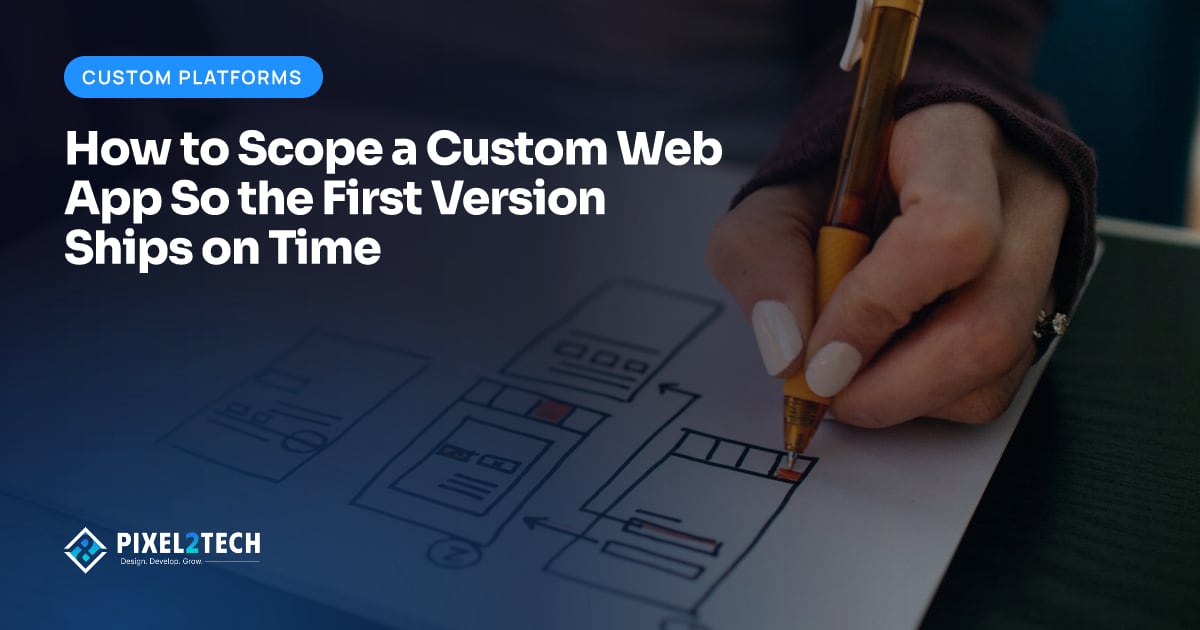
Before any code is written, walk through version one as a user would. Click through a simple prototype or even a set of screens drawn on paper. Book the service, confirm it, cancel it, and check what the admin sees. The walkthrough finds the missing steps that a feature list hides: the confirmation message, the error when a slot is full, the email the customer gets.
Fix those gaps in the scope, not during the build. A missing step found in a walkthrough costs an hour. The same step found after launch costs a rebuild of the flow. The walkthrough also gives the whole team the same picture of what ships, which is what stops arguments about scope later.
Frequently asked questions
How small should version one be?
Small enough that the team can describe it in one paragraph and build it in weeks, not months. If version one needs a long document to explain, it is probably two versions pretending to be one.
What if the client insists on every feature in version one?
Show the trade in time and cost, not in argument. A version with everything takes this long and costs this much. A version with the core job takes this long and costs this much. Most clients choose the smaller version once the trade is concrete.
Should version one include an admin panel?
Only the admin functions the launch needs: seeing bookings or orders, confirming them, and contacting the customer. A full admin system with roles, reports, and settings is version two work in most cases.
When is a custom app the wrong choice?
When an off the shelf tool already does the job well, and the differences are preferences rather than real needs. A custom build earns its cost when the workflow is specific to the business and no standard tool fits it.
How do you scope a custom web app?
Write the job the app does in one sentence from the user's side, and list each person who uses it with the one thing they must be able to do. Test every proposed feature by asking who uses it, what happens if it is missing on launch day and whether it can be added later. Then fix the launch date, write down what version one will not do, and walk through the scope before building.
About the author: Asad Farooq
Co-Founder & COO
Pixel2Tech is a Lahore studio for brand, web, video and automation work. We write about problems we see in client projects.
More about AsadScope a version one that ships on time
Pixel2Tech designs and builds custom platforms for service businesses, from client portals to booking and quoting tools, starting with a version one that ships on time. If your team has a long list of features and no launch date, a scoping session is a practical place to start.
Related articles
Custom Platforms ·
A Client Reporting Dashboard That Proves Your Work Every Month
A client reporting dashboard shows results, not activity. Here is what to include so clients see the value of your work every month.
Custom Platforms ·
When to Rebuild a Custom Tool Instead of Patching It Again
Patching a custom tool again is not always cheaper than rebuilding it. Learn the signs that a rebuild is the honest choice, and how to scope one.

Custom Platforms ·
An Internal Knowledge Base That Stops Repeat Questions: A Simple Build Guide
The same questions keep reaching your team because the answers live in people's heads. A simple internal knowledge base fixes that.
Custom Platforms ·
Internal Tools Your Team Will Actually Use: A Practical Build Guide
Internal tools fail when they ignore daily work. A practical build guide for building internal tools your team will actually use, from the first workflow to launch.
Related Pixel2Tech services
Get new articles by email
Leave your email and we'll send new posts when they're published.