

Animated Explainer Video Production: A Buyer’s Workflow
Plan the brief, script, storyboard and animatic before detailed animation. Know what to approve and which files to request at delivery.
- Written by Asad Farooq
- Topic: Video Editing
- Published
- 4 min read
Key takeaways
- Choose the question your buyer needs answered before choosing an animation style.
- Approve the script, storyboard and timing before detailed animation begins.
- Include captions, usage rights, format variants and future updates in the production brief.
In this article (9 sections)
What should an animated explainer actually explain?
An animated explainer video makes an unfamiliar idea easier to understand through a planned sequence of words and visuals. For a service business, that might be how an enquiry becomes a completed delivery. For software, it might be why several disconnected tasks belong in one workflow. The useful starting point is a buyer’s question, rather than a request to animate a list of features.
Write down who will watch, what they already know and what they should understand afterwards. A founder introducing a new category needs a different story from a sales team answering a repeated objection. Tell the production team where the video will appear and what the next action should be. Our animated explainer portfolio can help you discuss visual preferences without assuming every example suits your brief.
Choose animation, product footage or a combination
Animation is useful for relationships, processes and ideas that cannot be filmed clearly. Screen recordings are stronger when buyers need to see a working interface. Live footage can help when the person, location or physical product is part of the evidence. A combined approach can introduce the idea through graphics, then show an approved product action. Keep the distinction between illustration and working software clear.
Ask what material is already available before commissioning new assets. Brand files, interface recordings, product photography and existing illustrations can affect the visual direction. A reference video is useful when you identify what you like about it: its pace, diagram style or balance of narration and screen content. Asking for an exact copy creates a weaker brief and can raise ownership concerns.
Approve the script for meaning and factual accuracy
Start with a simple story: the viewer’s situation, the obstacle, the proposed approach and the next step. Each sentence should earn its place. Avoid using a short explainer to explain the company history, every product feature and the entire onboarding process. Details that belong in a demonstration or support article can be linked from the page surrounding the video instead.
Assign someone who can approve product facts, names and claims. Provide evidence for any measurable statement, or replace it with a description of what the service actually does. Read the narration aloud and flag difficult pronunciations. Changes are easier to assess in a script than after the voiceover, artwork and scene timings depend on the wording. Record the approved version so different reviewers do not keep returning to older drafts.
Review the storyboard before approving the visual direction
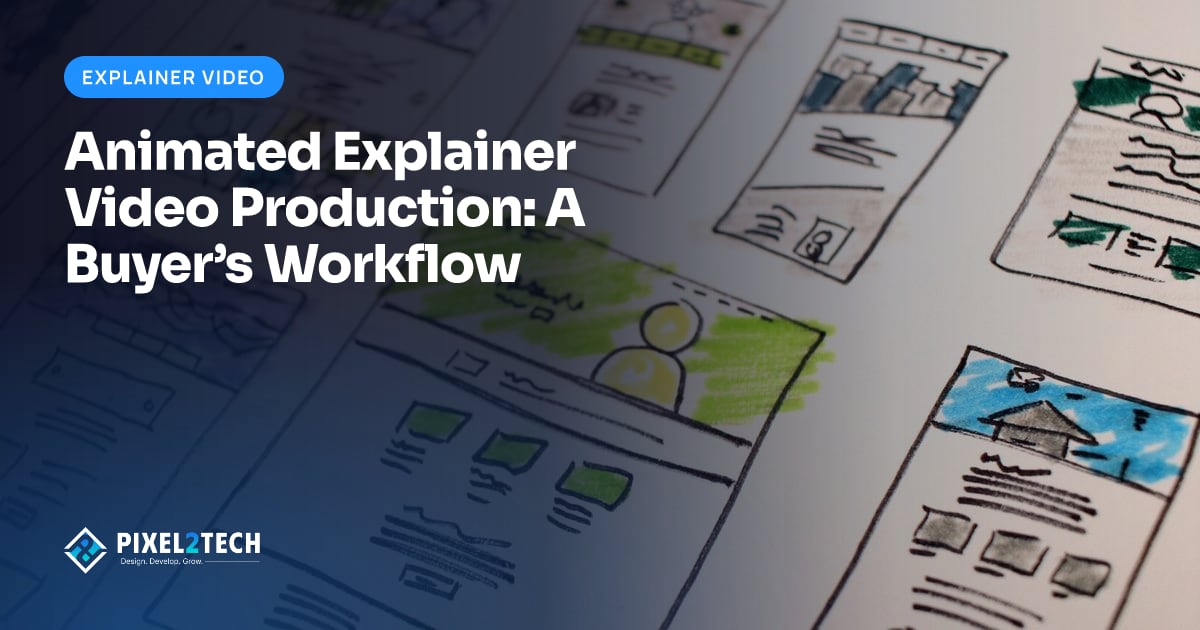
A storyboard maps the proposed scenes before full animation. Use it to check whether each spoken point has a useful visual partner. If the narration discusses an approval, the scene should make the decision and its effect understandable. Decorative icons cannot substitute for a missing explanation. Ask where the viewer’s attention should move and whether the story still makes sense when the frames are read in sequence.
Approve a small set of style frames as well: typography, illustration treatment, colours and the way product screens appear. Adobe’s storyboarding guide describes storyboards as a planning tool for sequences. For your commission, the important decision is whether the proposed sequence explains the right idea, not whether rough planning drawings already look like finished artwork.
Use an animatic to check pacing before polished motion
An animatic places storyboard frames on a timeline so the team can test timing and sound before completing detailed movement. Listen for rushed explanations, long gaps and scenes that end before the viewer can read them. A transition that looks attractive in a still frame may interrupt the story when played. This stage gives reviewers a shared view of the intended pace.
Adobe’s animatic overview explains this relationship between storyboard frames, timing and audio. Agree whether your project includes an animatic and what approval means at that stage. If a late review changes the main story, discuss the effect on animation and narration rather than treating it as a minor export correction.
Plan narration, captions and readable on-screen text
Give narration room to explain the visuals rather than repeating dense paragraphs displayed on screen. Supply pronunciation notes for product names and any specialist vocabulary. If the video must work without sound, plan that version deliberately; switching off a voiceover does not automatically create a complete silent story. Review the mobile version at its actual display size so small labels do not carry essential meaning.
Specify caption files and transcripts alongside the visual treatment. Captions should represent relevant spoken and non-speech audio, while important visual information may need an additional description. The W3C accessible media guide is a useful planning reference. Agree the required accessibility deliverables in the brief and review their accuracy before publication, instead of assuming a stylised headline covers the spoken script.
Keep feedback and delivery decisions organised
Consolidate feedback into one time-coded list with one final decision owner. Explain the problem a revision should solve. For example, say that the viewer cannot identify which team receives the enquiry, rather than asking for the scene to feel more professional. Separate factual corrections, agreed scope changes and optional preferences so the production team can respond clearly.
Name the final formats, poster image, caption files and any editable-source handover. Record music, voice and asset usage permissions for the planned channels. A landscape master and a vertical version may need separate scene layouts. Use our multi-format deliverables guide to specify those adaptations before production. Ask how later product changes will be handled; future revisions are a separate planning decision unless included in the agreement.
A practical explainer brief you can send today
Use this hypothetical starting point: ‘We need an explainer for first-time buyers who do not understand how our service handles a delivery request. Show the request, approval and handover as one clear journey. The main placement is our service page. We can provide our brand files, approved process notes and a product reviewer. Please propose the script, storyboard, timing review and final delivery files.’
Add your target audience, existing assets, preferred examples, intended channels and deadline. Pixel2Tech can help plan the script, visual direction, animation and editing around the agreed story. Send us your brief and link to the part of your service customers find hardest to understand. If you mainly need a working interface demonstration, our SaaS demo briefing guide is a better starting point.
Sources and further reading
Frequently asked questions
Do I need a finished script before contacting an animation team?
No. Bring the audience, the question you want to explain, approved product information and available brand material. Agree whether script development is part of the production scope.
Can an explainer include real product screens?
Yes. A mixed approach can explain the idea with animation and show selected working screens. Identify prototypes and illustrations clearly, and approve the actual product behaviour before recording.
What should I approve before full animation?
Approve the script, scene sequence, visual style and timing approach. State which review stages your proposal includes and who can make the final decision.
About the author: Asad Farooq
Co-Founder & CPO
Pixel2Tech is a Lahore studio for brand, web, video and automation work. We write about problems we see in client projects.
More about AsadMake the idea easier to understand.
Send your service or product link, target audience and existing assets. We will discuss the story, animation approach and delivery scope.
Related articles
Video Editing ·
SaaS Product Demo Video: How to Brief a Production Team
Plan the audience, story, screen recordings, captions and review stages for a demo that helps buyers understand a real product workflow.
Video Editing ·
One Video, Multiple Formats: A Deliverables Brief
Specify landscape, vertical and square video versions with a clear plan for framing, captions, graphics, end cards and publication checks.
Video Editing ·
Video Editing Handover Checklist: Files Your Team Needs
Agree the final exports, caption files, editable archive and usage records your marketing team needs to publish and maintain its videos.
Video Editing ·
Podcast to Short-Form Video: A Practical Editing Workflow
Select complete ideas, keep the speaker’s meaning intact and organise captions, framing, reviews and handover for useful short podcast clips.
Related Pixel2Tech services
Get new articles by email
Leave your email and we'll send new posts when they're published.